
How to create a budget from databases in metroKUBIKO
Learn step by step how to create a budget from databases in metroKUBIKO, optimizing your construction project planning.

metroKUBIKO Team

How to create a budget from databases in metroKUBIKO
Creating budgets efficiently is key in construction project planning. metroKUBIKO facilitates this process by allowing you to leverage existing databases to generate budgets in just a few steps. Here’s how to do it.
1. Enter your project
On the main metroKUBIKO panel, click on “Projects”.

Select the project in which you want to create the budget.
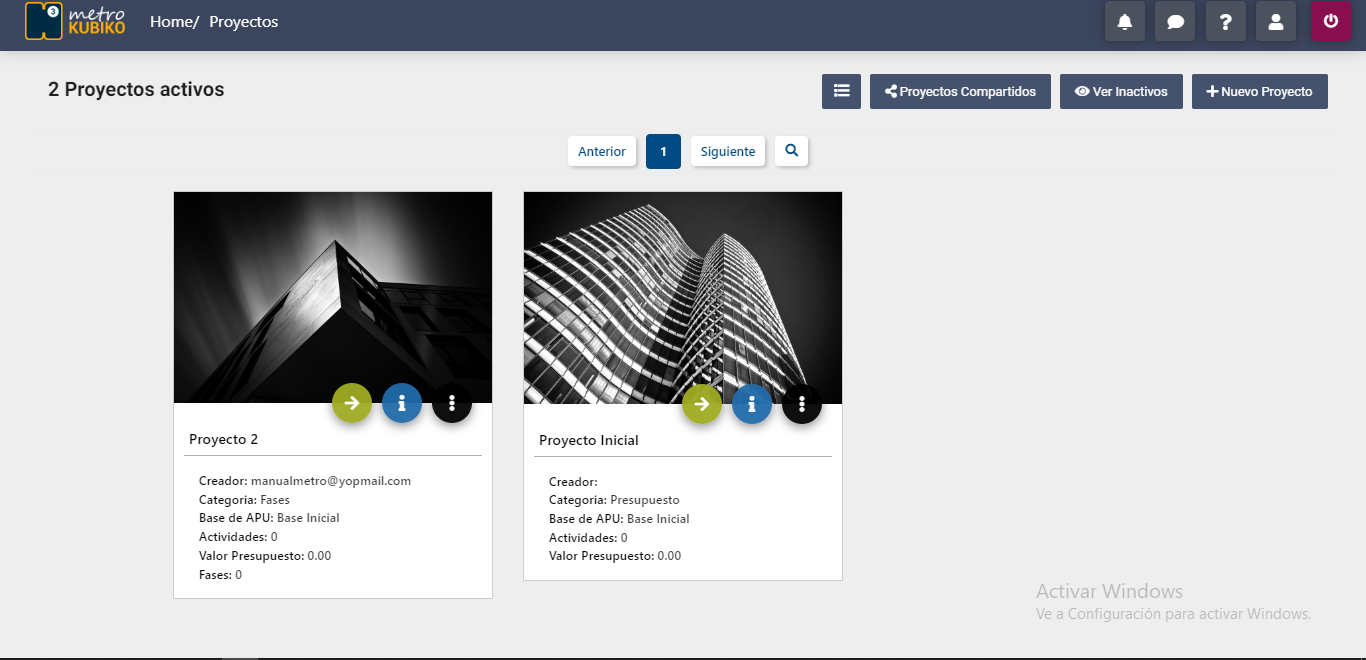
2. Go to the budget section
Within the project, go to Planning → Budget.
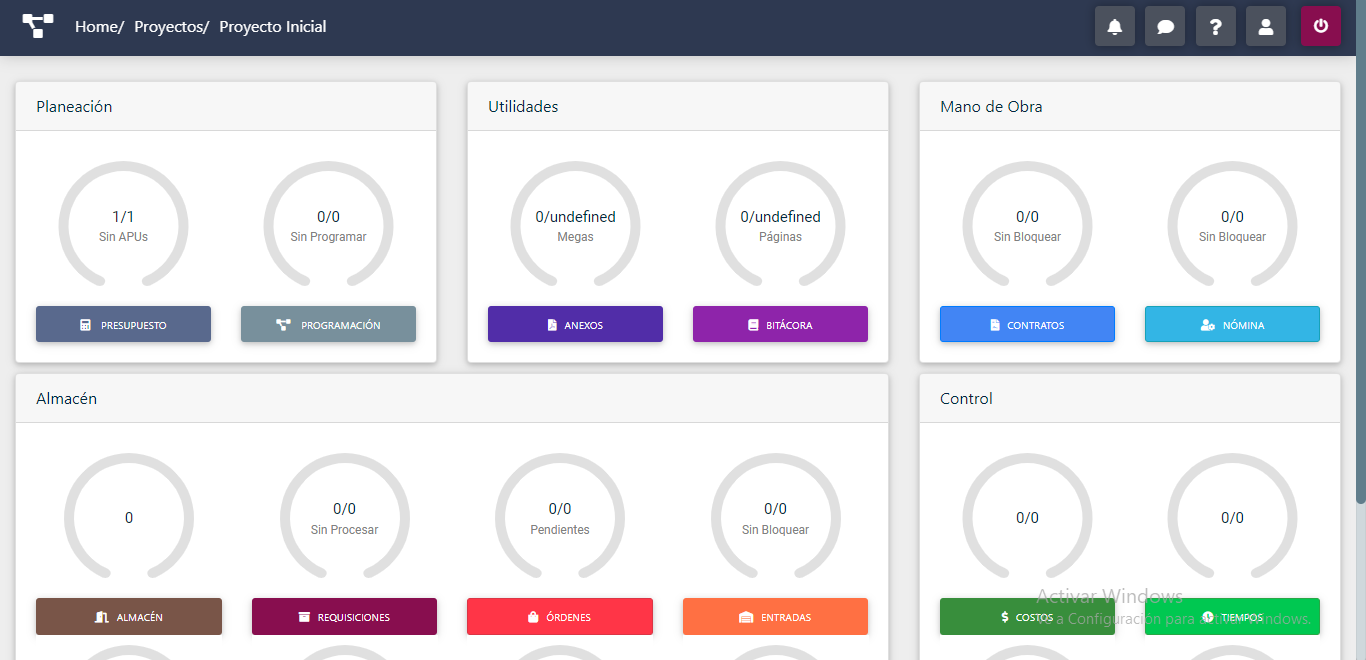
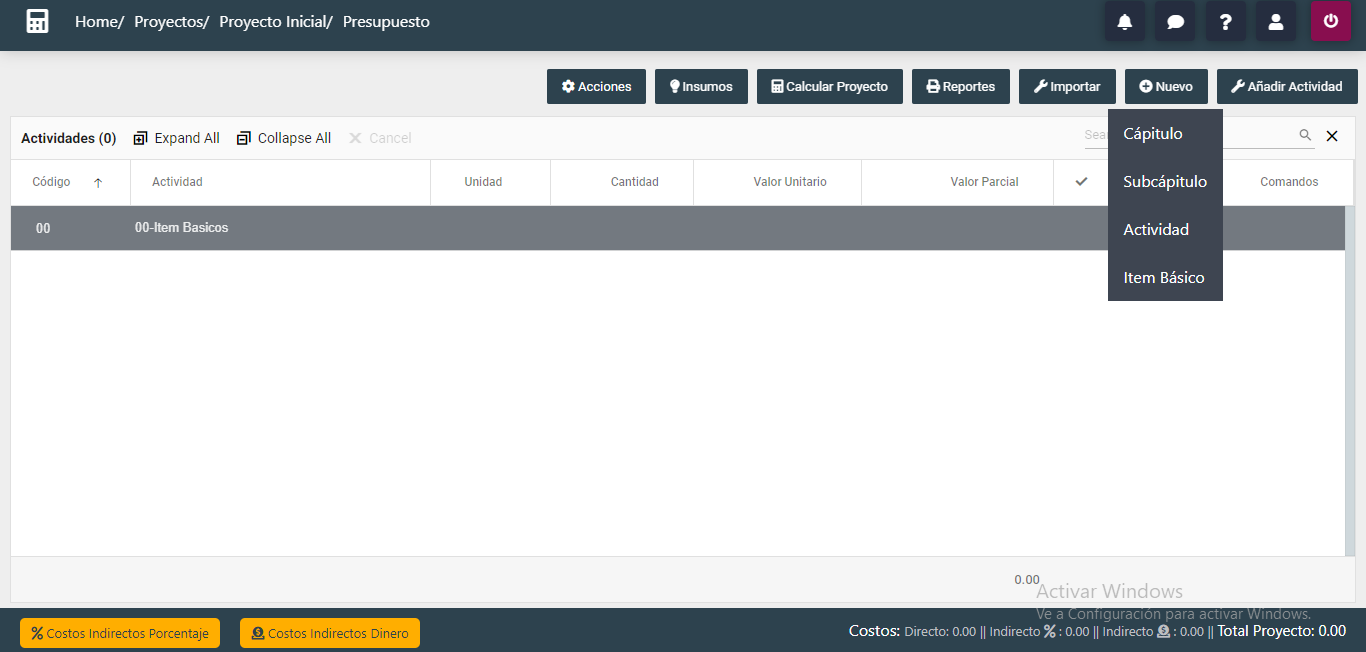
3. Create your first chapter
Click on “New” and select “Chapter”.
Enter the chapter data and save.
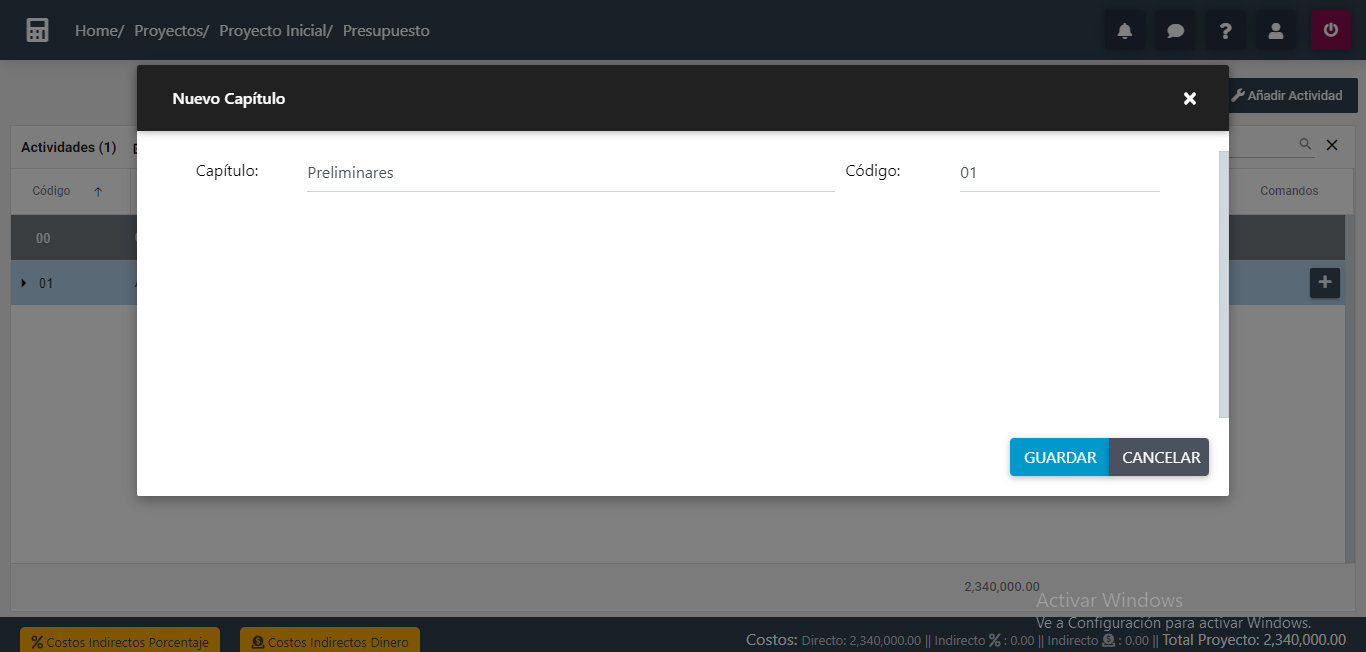
4. Add activities from the database
Click on the button in front of the chapter to enter.
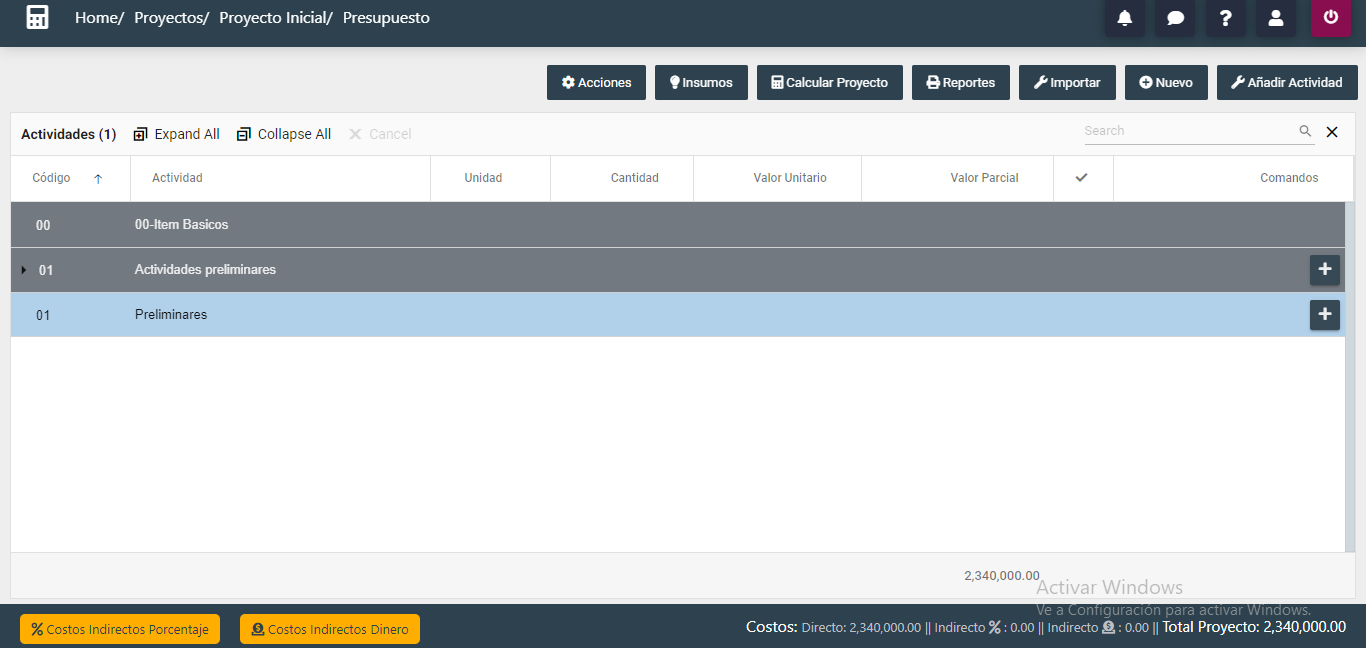
metroKUBIKO loads the activity database by default, but you can change it or import activities from another project.
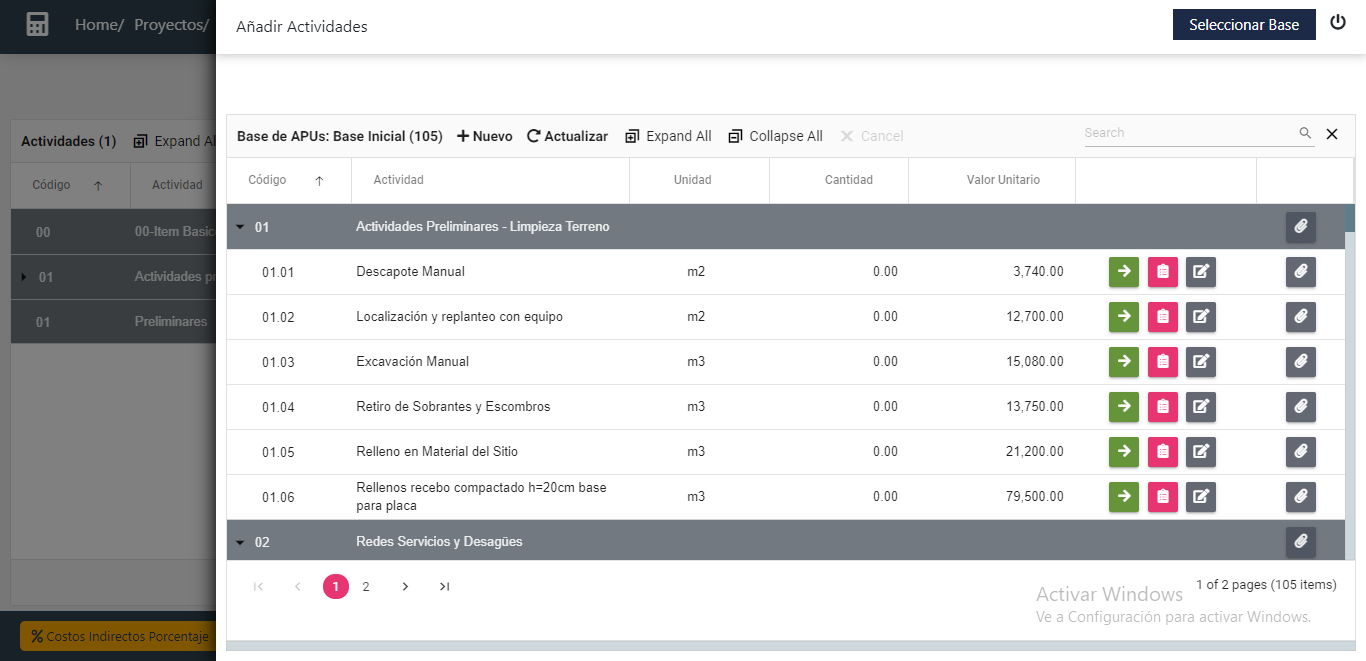
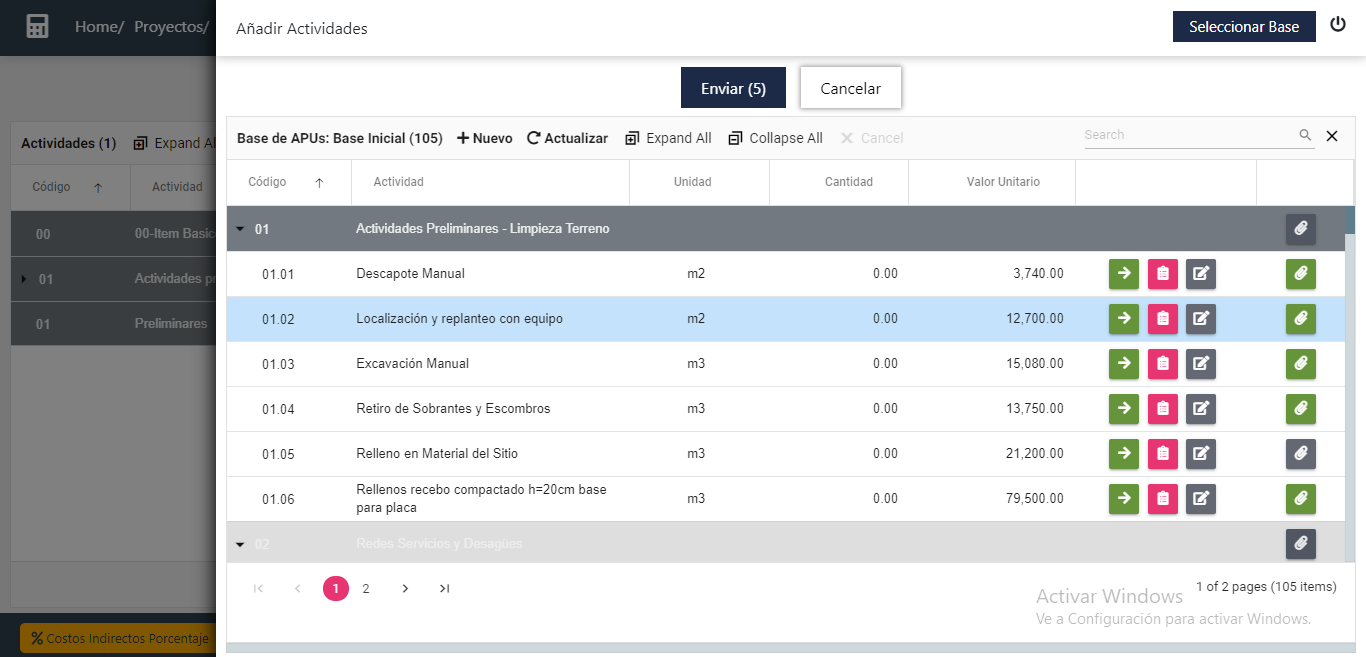
Select the necessary activities and add them.
5. Edit APUs without affecting the database
Each activity has its editable Unit Price Analysis (APU). You can modify prices, quantities, or formulas without altering the original database.
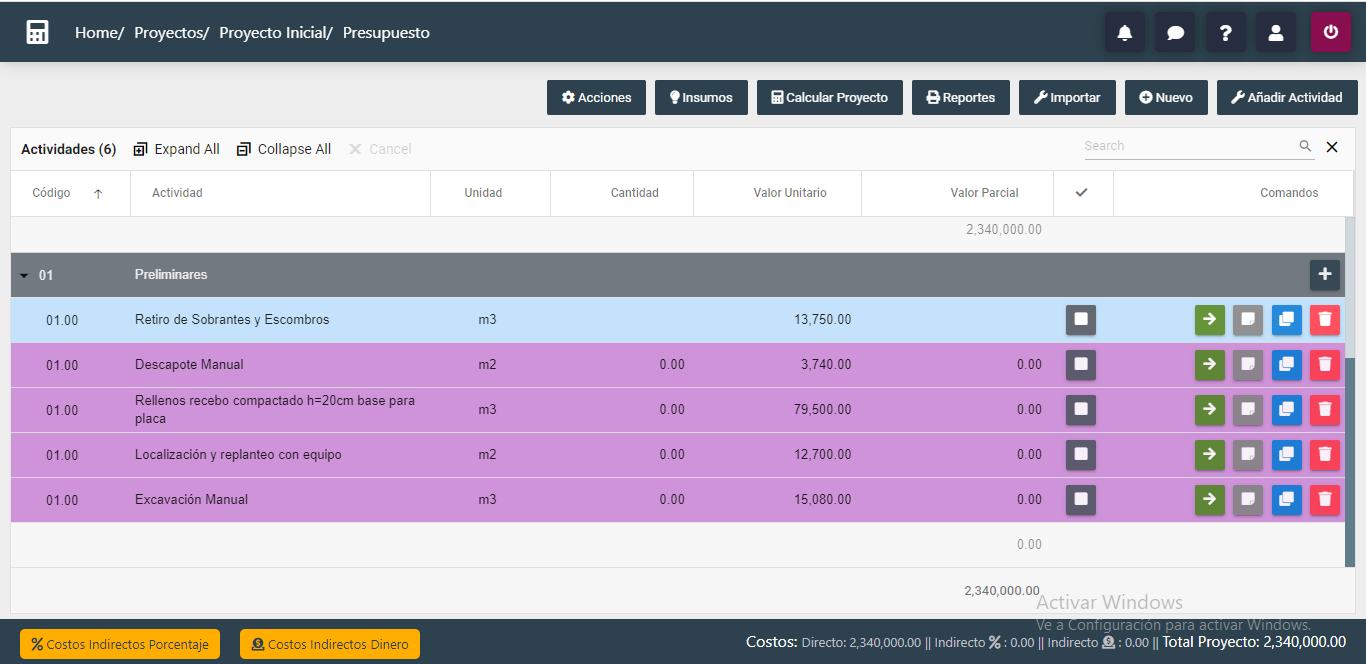
6. Organize your activities and calculate direct cost
Edit the order and quantity of activities. Save with the Enter key. This gives you the direct cost of the project.
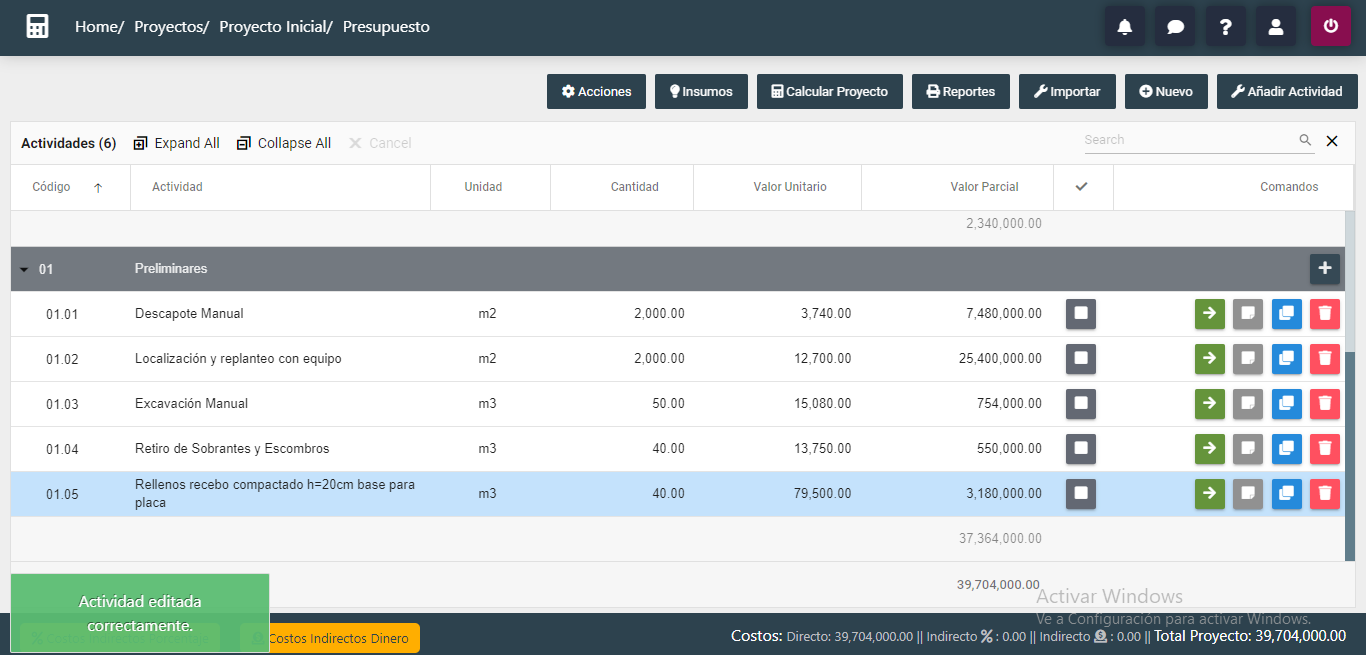
7. Add indirect costs
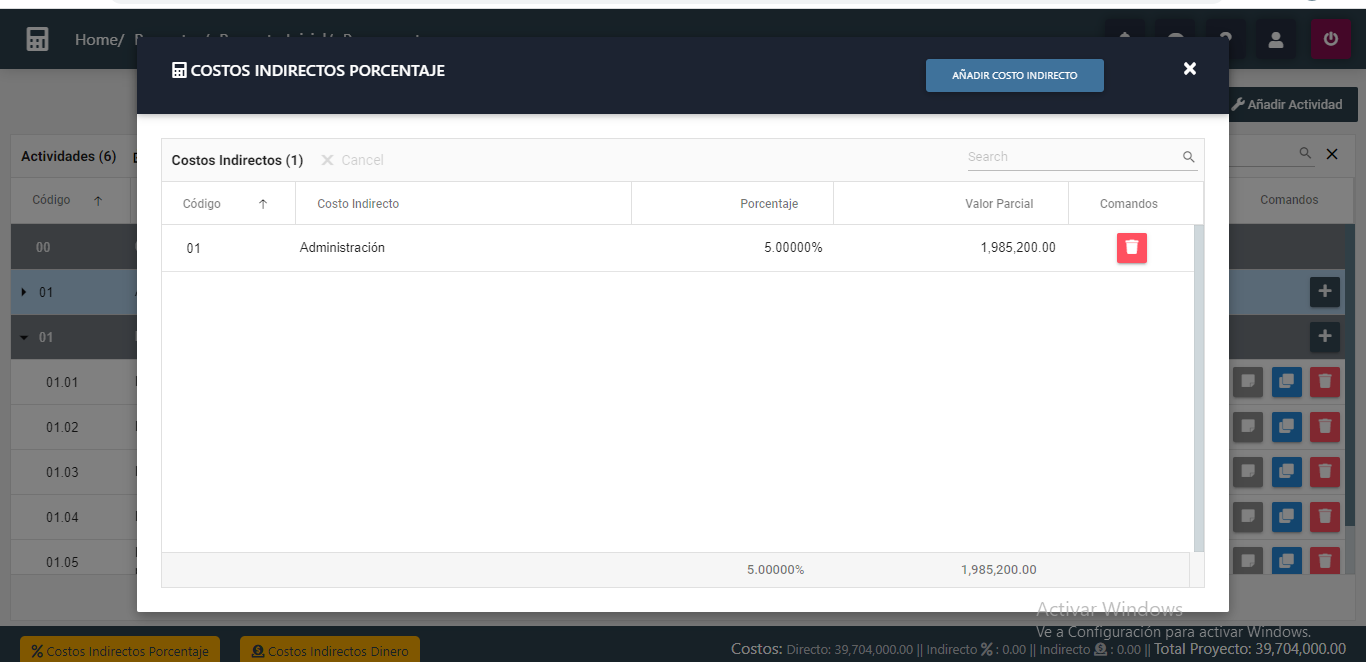
You can add indirect costs as a percentage or in monetary value.
Indirect cost as percentage
Click on “Add indirect cost as percentage”, define the code, name and percentage, and save with Enter.
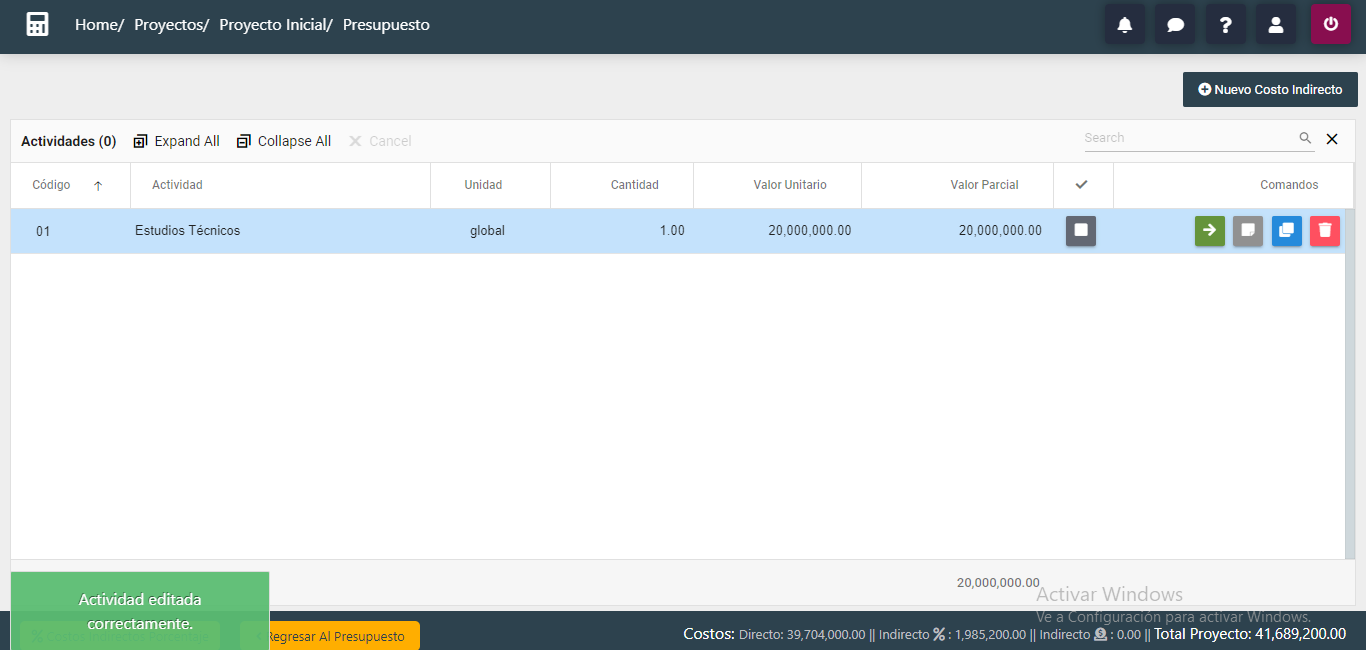
Indirect cost in money
Click on “New indirect cost”, complete the form and, if you wish, detail it with an APU.
Want to see this process in action? Visit our YouTube channel:
https://www.youtube.com/channel/UCxSVaVo8_XZ6HA3oWsOkzYA
With metroKUBIKO, creating budgets is as precise as it is automatic. Leverage your databases and improve the financial planning of your project.
Contact us if you want a personalized demo or technical support.
Ready to digitize your construction company?
Join the construction companies that already manage their projects with metroKUBIKO.
Start now - Try it freeTags
Artículos Relacionados

Presupuestos de obras para control efectivo de los proyectos
Explora cómo los programas de presupuestos de obras permiten un control más efectivo en proyectos de construcción, mejorando precisión y eficiencia.
Cómo crear APUs en metroKUBIKO y optimizar tu presupuesto de obra
Aprende a crear y editar análisis de precios unitarios (APUs) paso a paso en <strong>metroKUBIKO</strong> para mejorar la rentabilidad y el control de tu proyecto de construcción.

Riesgos de no manejar presupuestos de obra bien definidos
Explora los riesgos comunes en la construcción al no contar con presupuestos definidos, como sobrecostos, retrasos, litigios y pérdida de reputación.